A/B Testing for Plugins
Mechanism to decide what version of the plugin bundle should be rendered on the portal.
Approach taken
- At times, we need a mechanism to deploy newer versions of our plugins for our test users, while keeping the live version available for real users.
- In this case, We can A/B test plugins using Fun with Flags (FwF flags).
- In this approach, we are making a call to Plugin API twice. Once to fetch all v2 version of plugin bundles and another to fetch plugins with whatever is their latest bundle version.
- We create FwF flags for Portal in the format of
${lowercased_plugin_code}-version. Since these are boolean flags, FwF allows to have named labels fortrueandfalse.
Procedure to create a FwF flag to enable A/B testing for a plugin
- Plugin development team has to reach out to Vendor Portal Core Squad to create this flag for their plugin.
- These suggested flags are boolean in nature and FwF allows us to have an optional label to these two values.
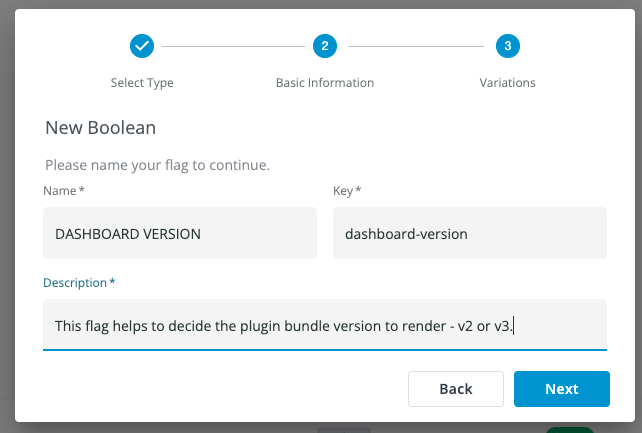
- Consider the below example for plugin with code -
DASHBOARD - We create a FwF flag of boolean type named
dashboard-version.
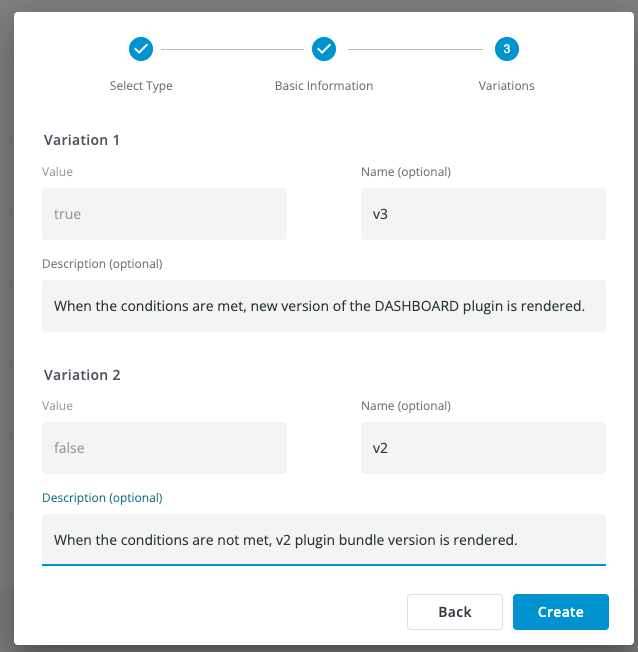
- Assign
trueandfalsewith names,v3andv2, respectively.
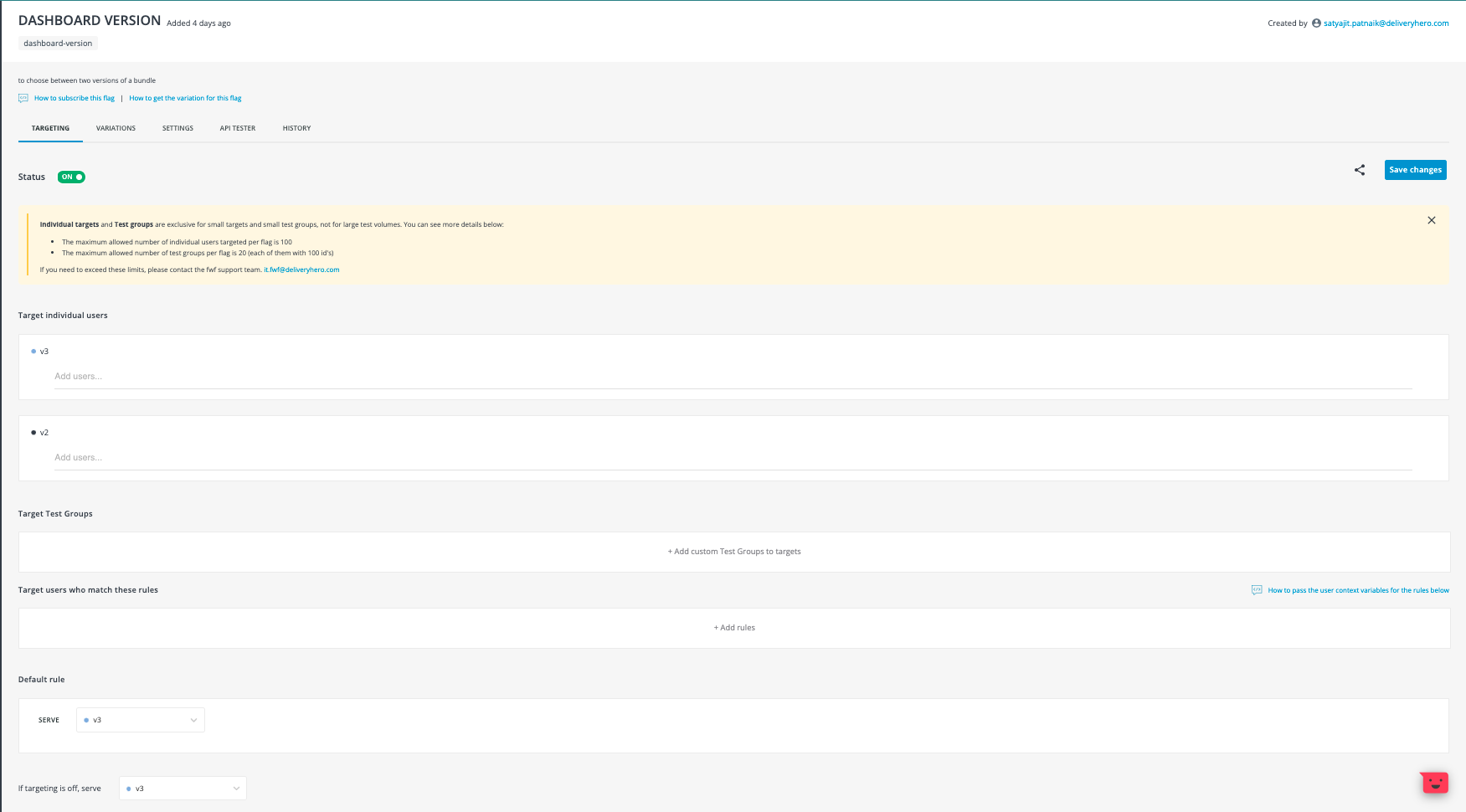
- Once the flag is created, according to the usual conditions met, the flag will send back v2 or v3 to the frontend.
FUTURE EFFORT - This will be expanded in future where plugin API will fetch back all the bundle versions and FwF flag can be used to decide between any two versions in the future, not just v2 and v3.